About Continuity
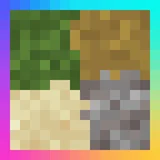
Continuity is a client-side mod that lets resource packs use OptiFine's connected textures, emissive, and custom block layer formats without needing OptiFine. It includes two built-in packs for glass, sandstone, and bookshelves, plus a glass pane culling fix.
It improves visuals by making textures flow seamlessly across blocks and items, adding depth with emissive lighting. The culling fix removes gaps between stacked glass panes for a polished look.
Ideal for players who want enhanced texture effects without OptiFine, or those creating custom resource packs. Works best with texture-focused modpacks that prioritize visual polish.
Adds texture depth without requiring OptiFine, complementing other texture mods. Its client-only nature makes it easy to include in modpacks without server-side dependencies.
Features
- Supports connected textures, emissive effects, and custom block layers
- Includes two built-in resource packs: Default Connected Textures and Glass Pane Culling Fix
- Client-side only, no server installation required
- Requires Fabric API as a dependency
- Works with Fabric, Forge, NeoForge, and Quilt loaders
- Allows resource packs to use OptiFine's texture formats without OptiFine
Tips
- Start with the Default Connected Textures pack for basic enhancements
- Combine with other texture mods for layered visual effects
- Check loader compatibility; NeoForge needs Forgified Fabric API
- Enable the Glass Pane Culling Fix for seamless vertical glass stacks
- Ensure Fabric API is installed before adding Continuity
How to install
- Install Fabric / Forge / NeoForge / Quilt for your Minecraft version (use the official installer).
- Download the file that matches your Minecraft version and Fabric / Forge / NeoForge / Quilt.
- Also install: Fabric API.
- Open the .minecraft folder and put the file into the "mods" folder (create it if missing).
- Launch Minecraft with the Fabric / Forge / NeoForge / Quilt profile.
FAQ
Does Continuity require OptiFine?
No, it provides OptiFine-like texture formats without needing OptiFalse.
Can it run on servers?
No, it's client-side only and doesn't affect server performance.
Which loaders work with Continuity?
Fabric, Forge, NeoForge, and Quilt via dependencies.

![[ETF] Entity Texture Features](/media/23/icon.webp)
![[EMF] Entity Model Features](/media/27/icon.webp)