About Entity Culling
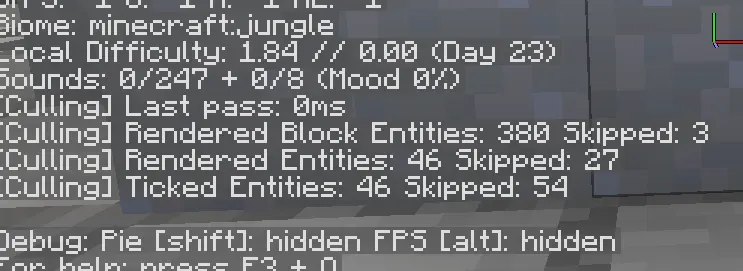
Entity Culling is an optimization mod that stops your client from rendering creatures and block entities hidden behind walls, floors, or terrain. Standard Minecraft stops drawing things outside your camera view, but it normally continues processing models blocked by solid surfaces. By using asynchronous path-tracing on extra processor threads, this mod determines true line of sight in real time, dropping unnecessary draw calls and easing the burden on your graphics card without blocking your primary game loop.
In terms of gameplay and visuals, your world looks identical during ordinary exploration. Mobs continue wandering, items keep dropping, and server-side mob farms operate normally because simulation logic is completely untouched. You also gain a client-side tick optimization feature that lessens CPU work for concealed entities. The visual experience stays smooth because visibility information refreshes continuously, preventing noticeable pop-in when turning corners, though entities very close to thin walls might remain rendered to prevent visual clipping.
This mod suits anyone building heavy bases filled with storage containers, complex machinery, or crowded animal pens. If your frames drop near automated setups, storage rooms, or underground mob spawners, this gives your hardware breathing room. However, players running on older computers with pegged processors might see little benefit, because the path-tracing calculations need unused processor headroom to do their work. For balanced multi-core setups, it provides steady frame gains in entity-dense zones.
Adding Entity Culling into a modpack is straightforward since it runs strictly on the client and requires no server installation. It stacks smoothly alongside chunk-level performance mods like Sodium, Iris, and ImmediatelyFast. Pack builders will appreciate the extensive configuration screen, which allows easy whitelisting for custom modded objects that cast oversized visuals outside their regular hitboxes, such as beacons or machinery, ensuring visual stability alongside other content.
Features
- Performs asynchronous path-tracing on spare CPU threads to calculate true line-of-sight visibility.
- Skips rendering for entities and block entities that are completely obscured behind obstacles.
- Reduces client-side entity tick processing without modifying server-side mob logic or farm output.
- Includes an in-game configuration screen to toggle features or whitelist specific objects.
- Offers an option to treat leaves as solid blocks when using fast graphics settings.
- Provides a bindable debug key to toggle visibility culling on the fly for testing.
Tips
- Assign the debug hotkey in your controls menu to toggle the mod on and off and test your performance changes instantly.
- Enable the option to treat leaves as solid blocks if you use fast graphics or custom leaves to boost frame rates in forests.
- Add beacon blocks, Botania blocks, or Create pulleys to the whitelist if their visual models extend beyond normal block bounds.
- Whitelist custom animated magic entities in the config screen if they display visual glitches or animation issues.
- Pair the mod with Sodium, Iris, and ImmediatelyFast to gain fine-grained line-of-sight culling on top of chunk culling.
How to install
- Install Fabric / Forge / NeoForge / Quilt for your Minecraft version (use the official installer).
- Download the file that matches your Minecraft version and Fabric / Forge / NeoForge / Quilt.
- Also install: Fabric API.
- Open the .minecraft folder and put the file into the "mods" folder (create it if missing).
- Launch Minecraft with the Fabric / Forge / NeoForge / Quilt profile.
FAQ
Does Entity Culling need to be installed on the server?
No, this is strictly a client-side mod. It does not need to be installed on the server and will not alter server-side simulation or mob farms.
Which mod loaders and dependencies are supported?
It supports Fabric, Forge, NeoForge, Quilt, and Babric, with Fabric requiring Fabric API. Modern active updates focus on versions from 1.19.4 onward.
Does this mod help if Sodium is already installed?
Yes, because Sodium only checks whether entire chunks are visible to the player. Entity Culling checks actual line-of-sight visibility, hiding entities tucked behind obstacles inside those visible chunks.