
About Jade 🔍
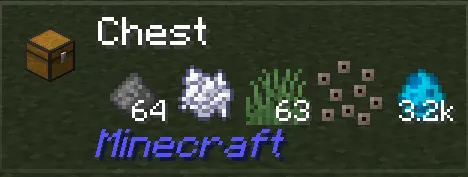
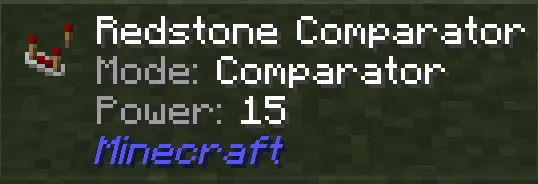
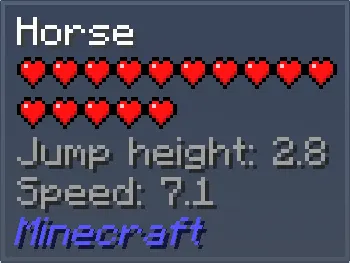
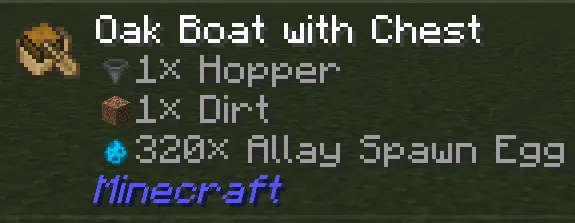
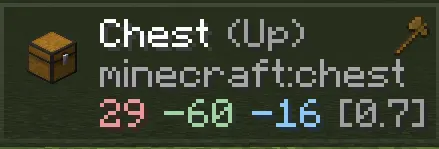
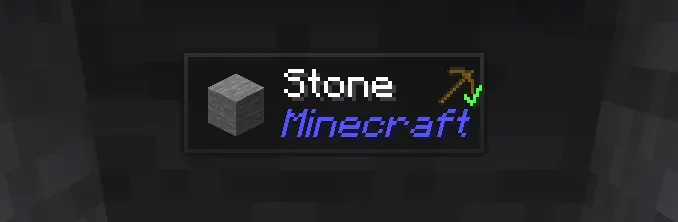
Jade is a HUD mod that displays information about blocks, items, and entities you're looking at, similar to Hwyla/Waila but updated for modern Minecraft versions. It provides quick access to details like fuel levels, recipe ingredients, and entity health.
The mod adds customizable overlays, liquid display options, and recipe/usage hints via keybinds. Server-side installation unlocks features like item storage tracking and brewing stand fuel monitoring, enhancing both singleplayer and multiplayer experiences.
Best for players who want to optimize resource management, modpack creators looking for integrated info displays, and those who prefer visual feedback over memorization. Works seamlessly with JEI and mod addons for extended functionality.
Jade fits into modpacks by providing essential info without overwhelming players. Its API supports custom addons, and its compatibility with multiple loaders makes it flexible for different modding ecosystems.
Features
- Client-side optional, server-side required for full feature set
- Supports Fabric, Forge, NeoForge, and Quilt loaders
- Displays fuel levels, liquid amounts, and entity health
- Customizable keybinds for overlay toggling and recipe hints
- Requires Fabric API as a dependency
- Licensing follows CC BY-NC-SA 4.0 from original Hwyla project
- Works with JEI for recipe and usage information
Tips
- Start with basic overlay settings before customizing keybinds
- Install JEI for full recipe/usage display functionality
- Check Fabric API compatibility before installation
- Enable server-side for item storage and brewing fuel tracking
How to install
- Install Fabric / Forge / NeoForge / Quilt for your Minecraft version (use the official installer).
- Download the file that matches your Minecraft version and Fabric / Forge / NeoForge / Quilt.
- Also install: Fabric API.
- Open the .minecraft folder and put the file into the "mods" folder (create it if missing).
- Launch Minecraft with the Fabric / Forge / NeoForge / Quilt profile.
FAQ
Does Jade work with modpacks?
Yes, it integrates with modpacks via addons and provides essential info without overwhelming players.
Can I use Jade on servers?
Server-side installation is optional but required for features like item storage tracking.
What license does Jade use?
Follows CC BY-NC-SA 4.0 from original Hwyla project, no commercial use for derivatives.