About Xaero's Minimap
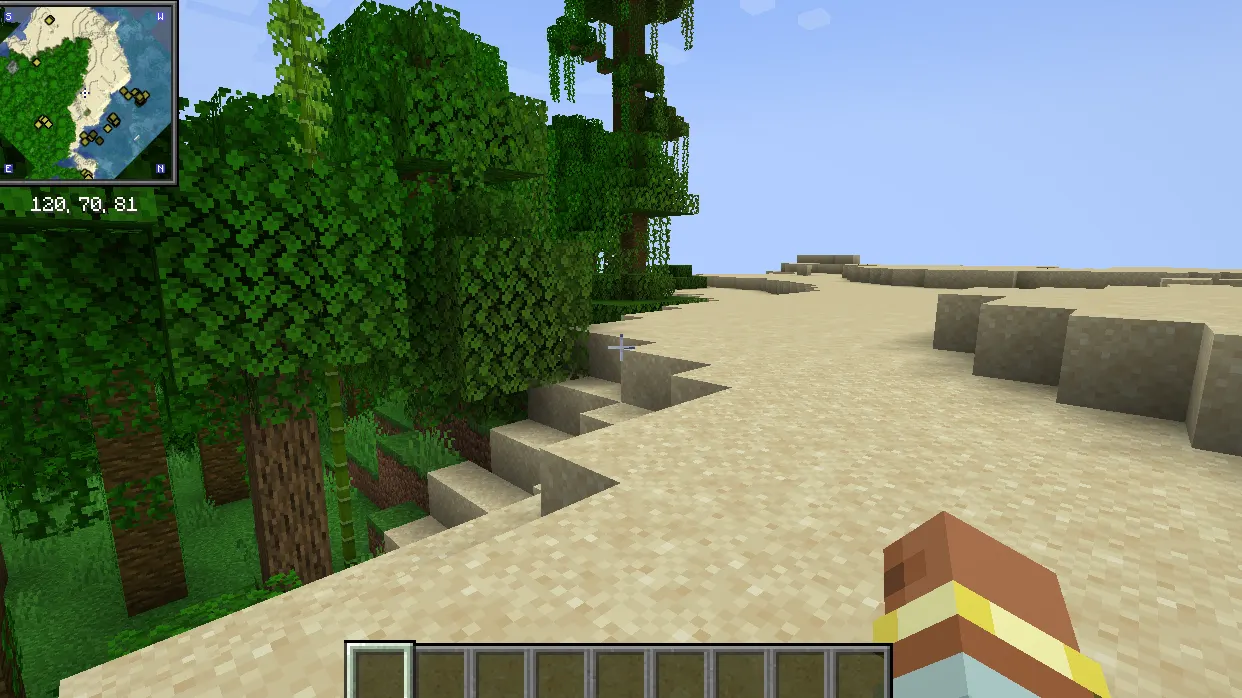
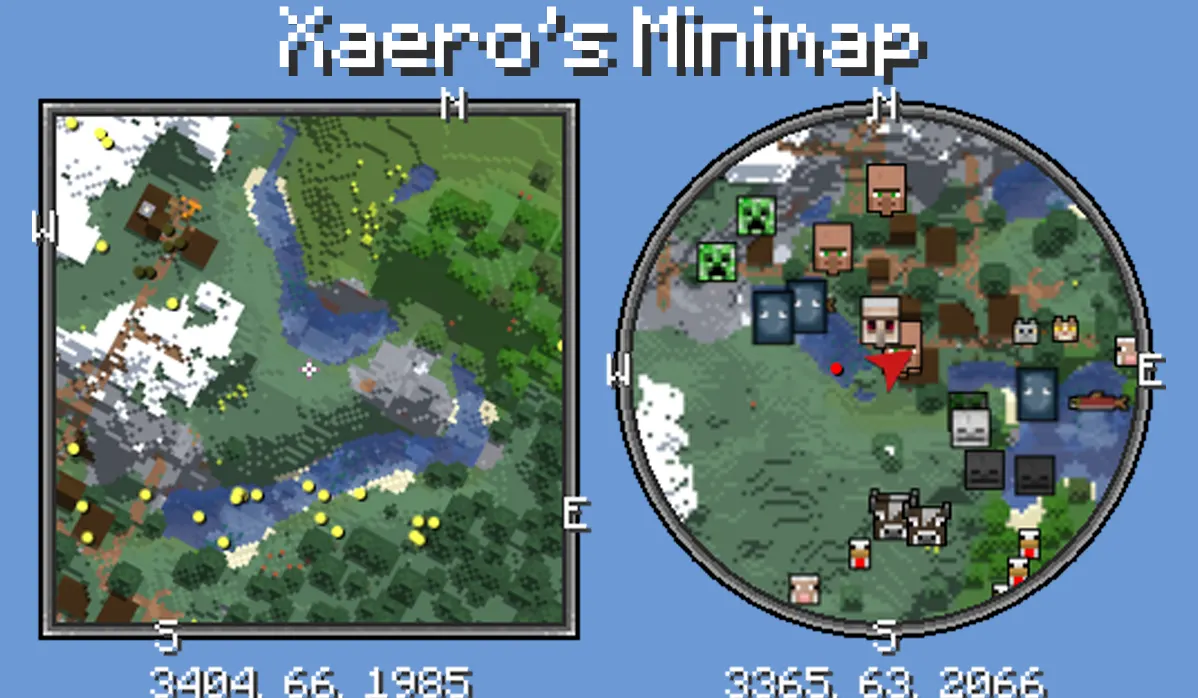
Xaero's Minimap is a client-side mod that adds a rotating square or circle map in your screen corner. It displays terrain, players, mobs, and items with customizable colors and shapes, keeping Minecraft's original aesthetic. The mod supports multiple Minecraft versions and loaders, offering smooth performance and extensive customization options.
The minimap changes gameplay by providing real-time navigation tools like waypoints (teleportable), entity radar, and cave mode for underground exploration. Its seamless integration with vanilla visuals makes it ideal for players who want utility without breaking immersion. Server admins can restrict access via item binding or potion effects for fair-play scenarios.
This mod suits survival players needing navigation, builders tracking locations, and server hosts managing permissions. It fits well in modpacks with other tools like Xaero's World Map, offering performance benefits when used together. Its client-side focus makes it easy to add to both single-player and multiplayer setups.
The mod's server-side features let admins control access through ranks, permissions, or item requirements. It also supports waypoint sharing, deathpoints, and chunk grid visualization, making it versatile for both casual and competitive play. Compatibility with popular permission systems like LuckPerms adds flexibility for modpack customization.
Features
- Vanilla-style minimap with customizable size and shape options
- Entity tracking displays players, mobs, and items as colored dots or icons
- Waypoints for marking locations with optional teleportation
- Cave mode shows underground terrain and structures
- Server-side configs control player access via permissions or items
- Potion effects restrict minimap features for specific players
- Compatibility with Xaero's World Map for shared texture performance
- Lockable north direction with character-facing arrow indicator
Tips
- Start with default settings to avoid overwhelming customization options
- Use waypoint sharing to collaborate with server players via chat
- Adjust chunk grid visibility for better terrain navigation
- Enable 'Keep Old Deathpoints' to track past locations
How to install
- Install Fabric / Forge / NeoForge / Quilt for your Minecraft version (use the official installer).
- Download the file that matches your Minecraft version and Fabric / Forge / NeoForge / Quilt.
- Also install: Fabric API.
- Open the .minecraft folder and put the file into the "mods" folder (create it if missing).
- Launch Minecraft with the Fabric / Forge / NeoForge / Quilt profile.
FAQ
Can this work with Xaero's World Map?
Yes, it uses World Map textures by default for better performance.
Does it require server installation?
No, it's client-side only. Server install is optional for advanced features.
What Minecraft versions are supported?
1.7.10 to 26.3 (including 1.21.11) with Fabric/Forge/NeoForge/Quilt.